Add a Feature to Django Oscar
This tutorial adds an order-line report to Django Oscar, the open-source e-commerce framework (6.6K stars on GitHub). It follows the same mixed-mode workflow as the MarkItDown tutorial but with a larger, more complex codebase.
The final result: codespeak-dev/django-oscar PR #1.
Prerequisites: Complete the Installation steps first.
Clone the repo
git clone git@github.com:django-oscar/django-oscar.git
cd django-oscar
Set up the project
make venvYou can verify the tests pass with
venv/bin/pytest --sqlite=============================== test session starts ===============================
platform linux -- Python 3.14.2, pytest-9.0.2, pluggy-1.6.0
django: version: 5.2.11
rootdir: /home/riazanovskiy/work/django-oscar
configfile: setup.cfg
testpaths: tests/
plugins: django-4.11.1, Faker-40.4.0, xdist-3.8.0, django-webtest-1.9.14
collected 1682 items
tests/functional/basket/test_manipulation.py ... [ 0%]
tests/functional/catalogue/test_catalogue.py .................. [ 1%]
tests/functional/catalogue/test_review.py .... [ 1%]
tests/functional/checkout/test_customer_checkout.py ................ [ 5%]
tests/functional/checkout/test_guest_checkout.py .................. [ 8%]
<...>
1679 passed, 3 skipped in 88.35s (0:01:28)
Now activate the venv, build and start the sandbox site:
source venv/bin/activate
make sandbox
sandbox/manage.py runserver
Visit http://127.0.0.1:8000 to confirm the site loads.
Create an AGENTS.md (optional)
# Running Tests

## Setup

```bash
make venv
```

## Run tests

```bash
venv/bin/pytest --sqlite                                          # all tests, SQLite
venv/bin/pytest --sqlite tests/integration/offer/test_availability.py  # single file
venv/bin/pytest --sqlite tests/integration/offer/test_availability.py::TestASuspendedOffer::test_is_unavailable  # single test
```

Without `--sqlite`, tests require a running PostgreSQL server with a database named `oscar` (default config in `tests/settings.py`).
Initialize CodeSpeak
codespeak initThis creates a codespeak.json at the repo root.
Create a spec
Create src/oscar/apps/order/line_reports.spec.md:
# Order Line Report

A dashboard report generator for order line items. Each row represents
a single line within an order, covering: order number, SKU, product title,
quantity, line price (incl. tax), and partner name.

Results are filterable by date range on when the order was placed.
Available as both CSV download and HTML table. Restricted to staff users.
Configure codespeak.json
Register the spec:
"specs": [
  "src/oscar/apps/order/line_reports.spec.md"
]
The report needs to be registered in Oscar's generators list:
"whitelisted_files": [
  "src/oscar/apps/dashboard/reports/utils.py"
]
Build
codespeak build╭──────────────────────────── CodeSpeak Progress ────────────────────────────╮
│ ✓ Process specification (0.3s) │
│ ✓ Collect project information (0.1s) │
│ ✓ Implement specification (3m 37s) │
│ ╰─ ✓ Collect context & plan work (3m 36s) │
│ ✓ Generate and run tests in mixed mode (11m 33s) │
│ ╰─ ✓ Run existing tests to check for failures (1m 0s) │
│ ╰─ ✓ Write comprehensive tests for the new functionality (6m 22s) │
│ ╰─ ✓ ... │
│ ╰─ ✓ Fix issues identified in tests (3m 47s) │
│ ╰─ ✓ Refactor tests based on feedback to improve conciseness (54.3s) │
│ ✓ Finalize mixed mode run (0.1s) │
╰────────────────────────────────────────────────────────────────────────────╯
Processing spec 1/1: src/oscar/apps/order/line_reports.spec.md
App built successfully.
Inspect the results
$ git status

Changes not staged for commit:
        modified:   src/oscar/apps/dashboard/reports/utils.py

Untracked files:
        src/oscar/apps/order/line_reports.py
        src/oscar/templates/oscar/dashboard/reports/partials/order_line_report.html
        tests/functional/dashboard/test_line_reports.py
        tests/integration/order/test_line_reports.py
CodeSpeak created line_reports.py, an HTML template, and two test files. It also wired the new report into the whitelisted utils.py.
Run tests
venv/bin/pytest --sqlite1702 passed, 3 skipped in 86.52s (0:01:26)
Try it out
Start the sandbox server:
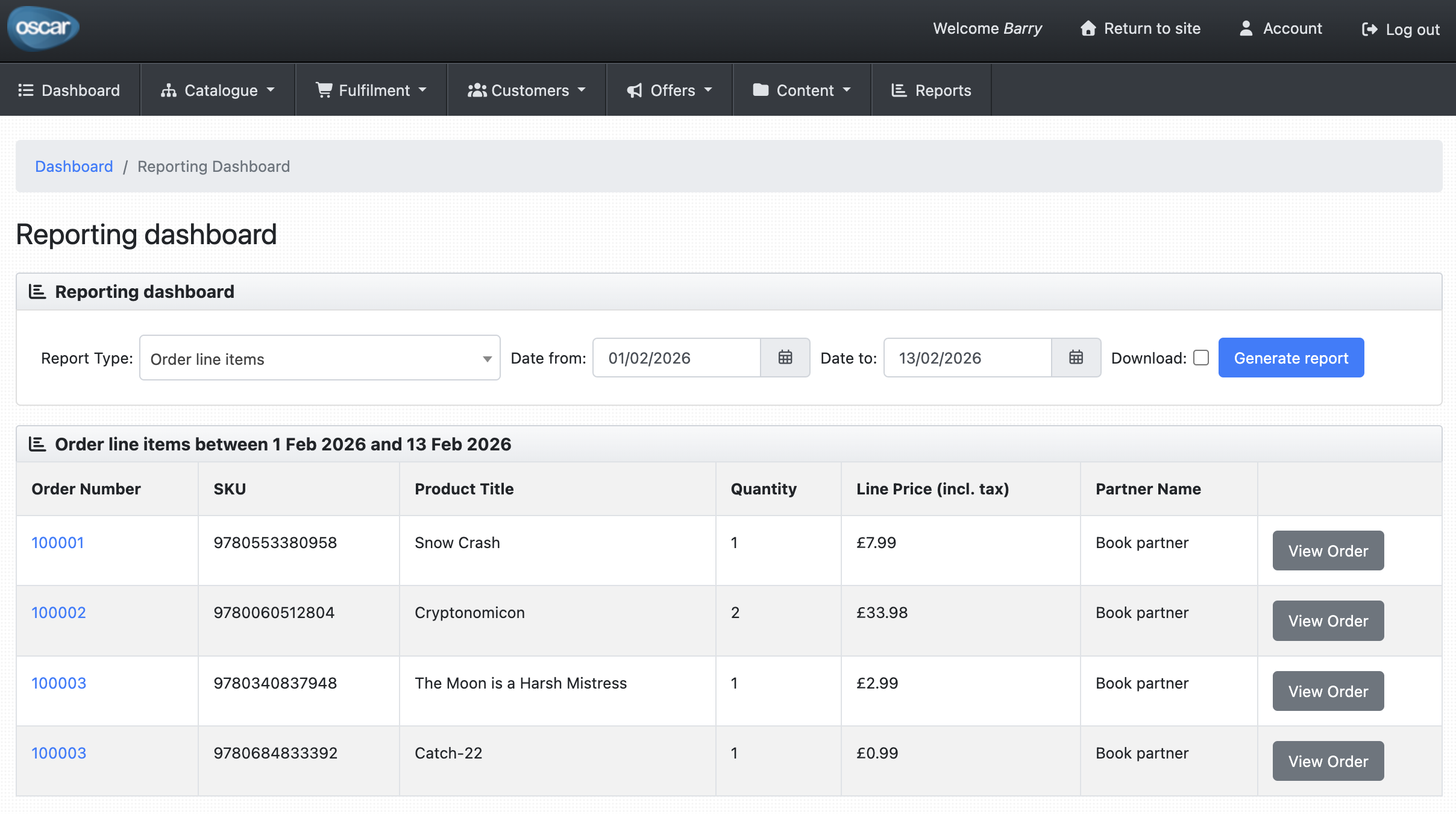
sandbox/manage.py runserverLog in with the sandbox superuser (superuser@example.com / testing) and navigate to http://127.0.0.1:8000/dashboard/reports/ to see the new Order Line Report.
You can browse the complete result of this tutorial at codespeak-dev/django-oscar PR #1.
Next steps
- Managed files — control which files CodeSpeak can modify
- Imports / Dependencies — split large features across multiple specs