Convert Existing Code to Specs
codespeak takeover reads existing source code and turns it into CodeSpeak specs. From that point on, you maintain the specs instead of the code — editing the specs and rebuilding to propagate changes.
There are two ways to drive it:
- Modular takeover — let CodeSpeak analyze the whole project, propose a module structure through an interactive web wizard, and generate one spec per module.
- Path-based takeover — pass specific files or directories when you already know the boundary you want to extract as a single spec.
This tutorial walks through the modular flow on Folio — a vibe-coded dual-pane terminal file manager in Go — and then shows the path-based shortcut.
Prerequisites: Complete the Installation steps first.
Set up the project
Clone Folio:
git clone git@github.com:codespeak-dev/folio.git
cd folio
Folio is roughly 3,000 lines of Go across model.go, panel.go, terminal.go, styles.go, fs.go, archive.go, and a few others — all assembled through vibe coding, with no upfront architecture plan.
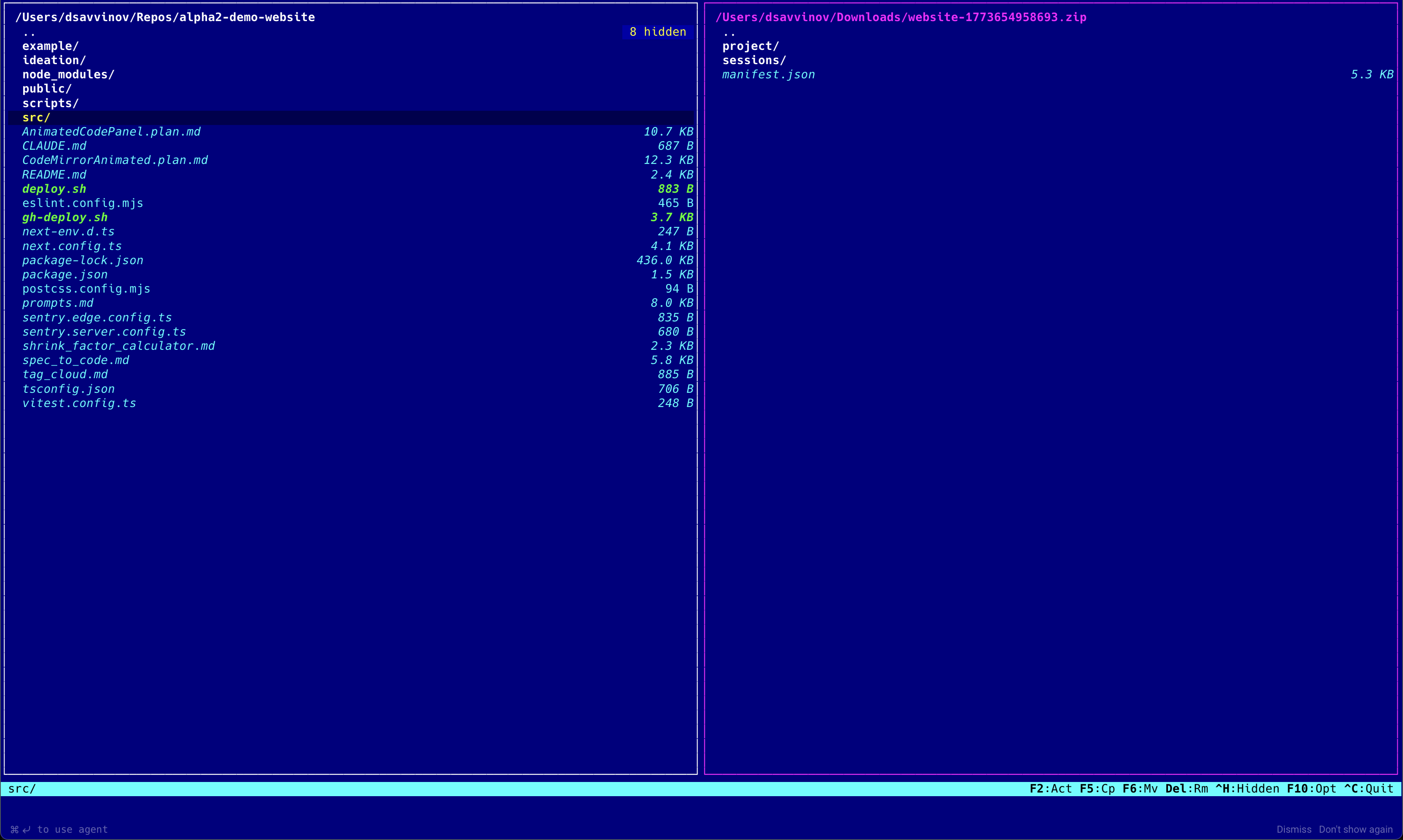
If the directory isn't yet a CodeSpeak project, takeover will auto-initialize it (as long as you're inside a Git repo). You can also run codespeak init explicitly.
Run modular takeover
Invoke takeover with no paths:
codespeak takeoverCodeSpeak analyzes the codebase and opens the modularization wizard in your browser. The initial proposal is deliberately coarse — it reflects the gross structure of the app, not every file boundary.
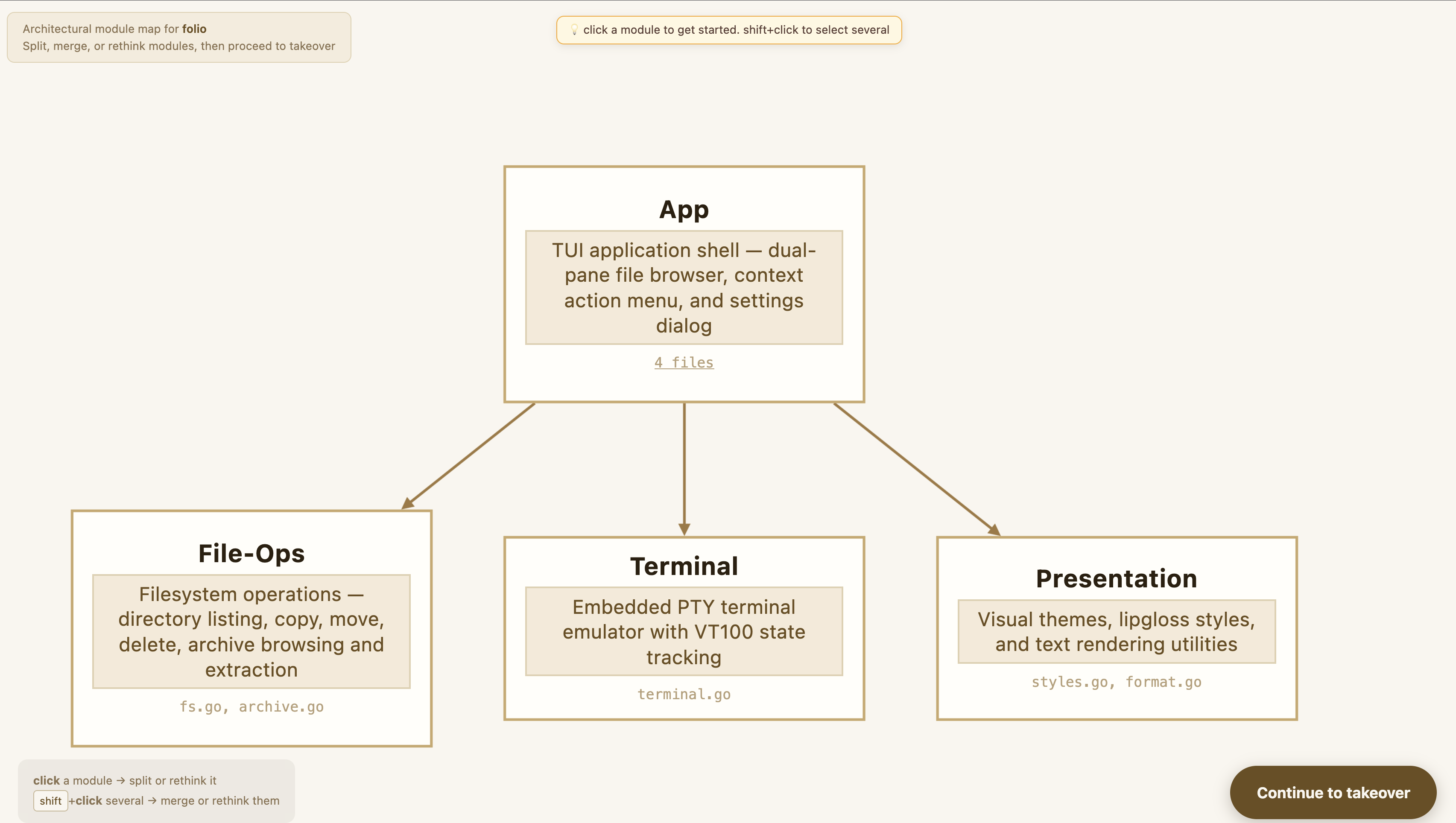
You can inspect each proposed module: which source files it covers, what responsibilities it's been assigned, and how it relates to the others.
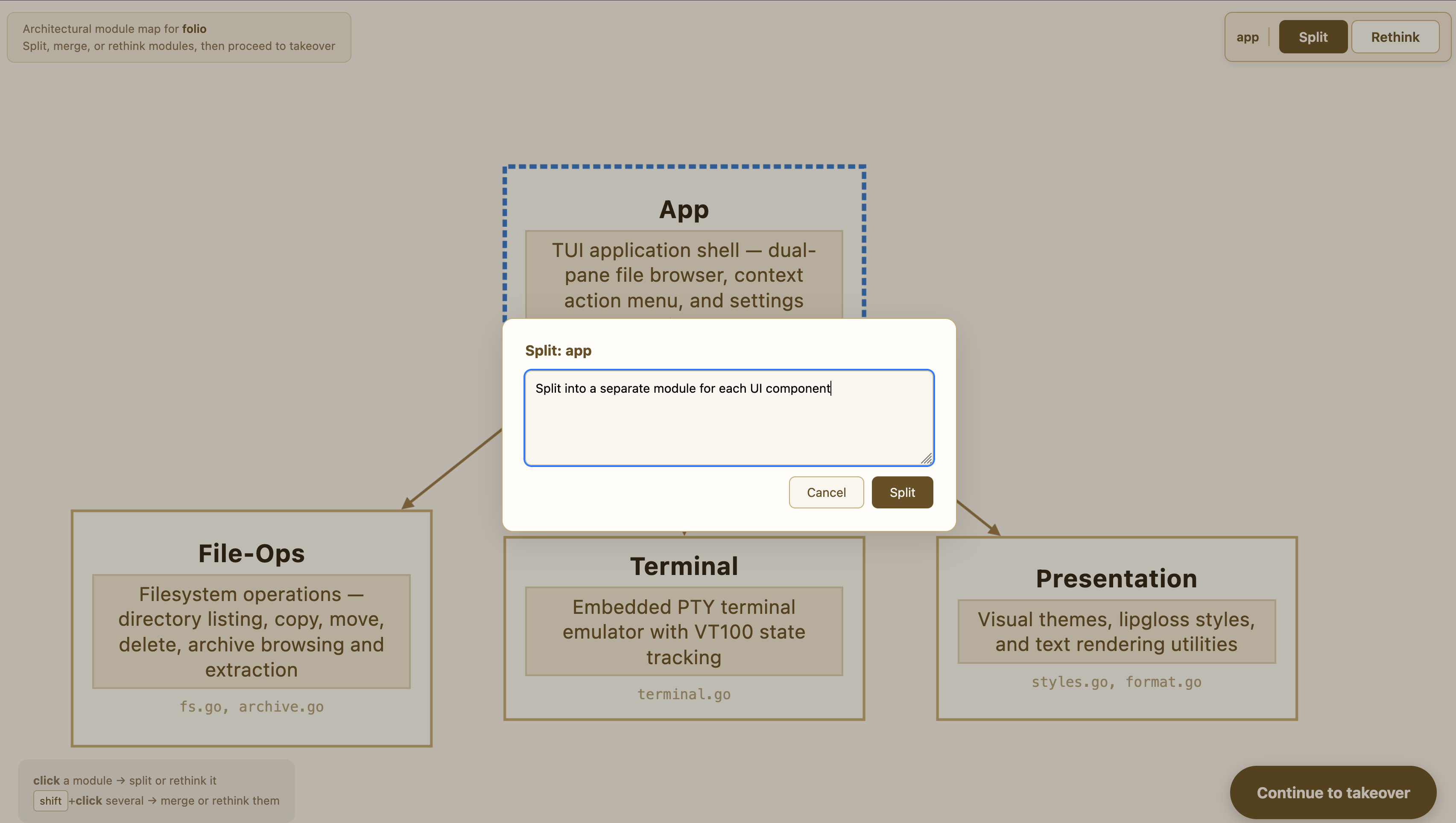
Refine the structure interactively — ask for finer-grained splits, merge modules that feel too similar, or rearrange where a responsibility lives:
Select which modules to bring under spec management. You don't have to take over everything at once — you can leave some modules as managed code for later:
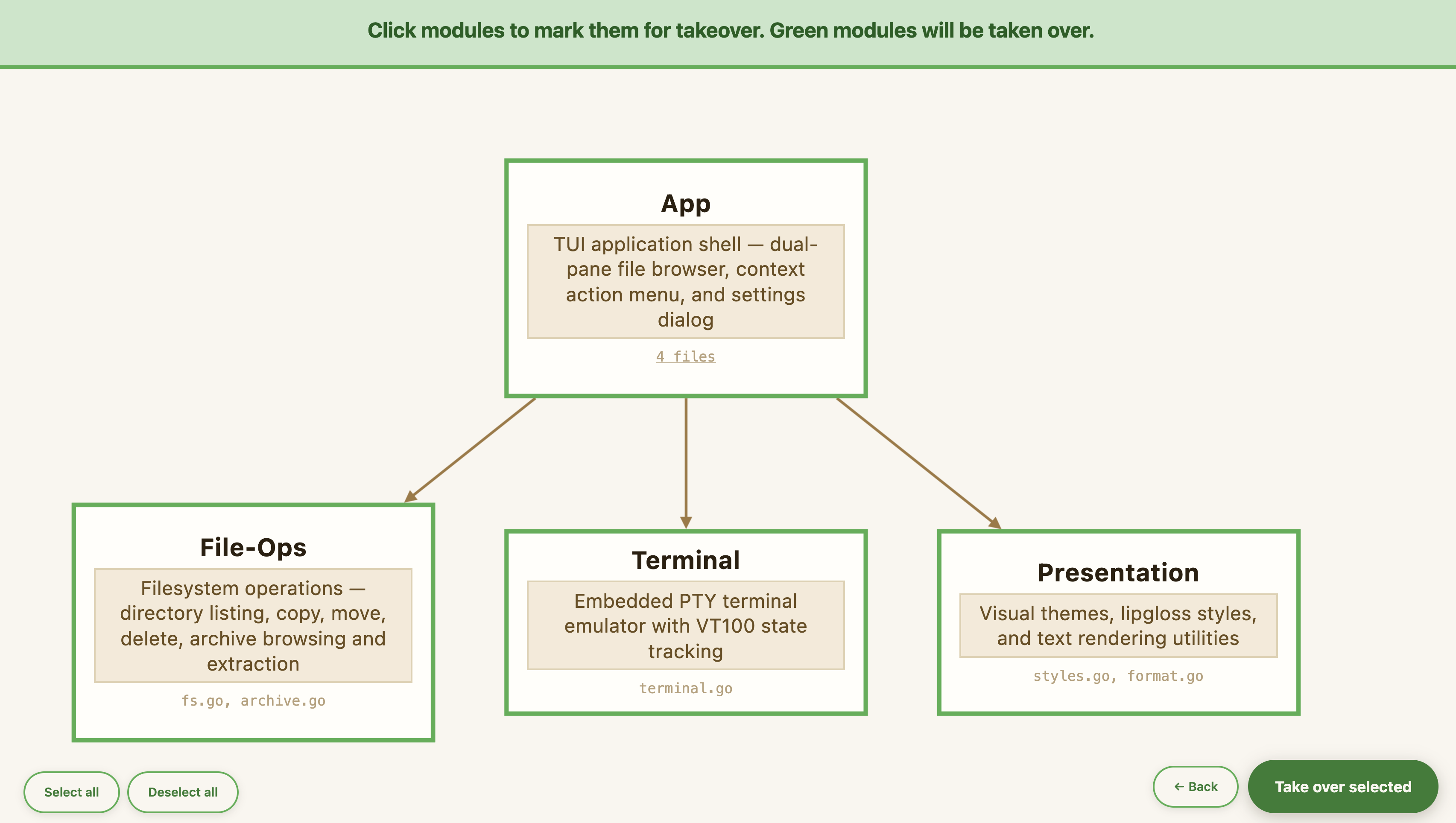
Confirming the plan generates the spec files directly — CodeSpeak writes them out, wires up the imports, and registers them in codespeak.json.
Inspect the generated specs
For Folio, the wizard produced four modules:
specs/
  app.cs.md           — core model, panels, context menu, settings
  file-ops.cs.md      — filesystem operations and archive support
  presentation.cs.md  — theming and file formatting
  terminal.cs.md      — the integrated terminal panel
app.cs.md imports the other three, so when you run a build, CodeSpeak processes them in dependency order — filesystem, presentation, and terminal first, then the core model that ties them together:
---
import specs/file-ops.cs.md
import specs/terminal.cs.md
import specs/presentation.cs.md
---
# Core Model, Panels, Context Menu, and Settings
...
The four spec files total roughly 430 lines of Markdown describing a codebase of 2,938 lines of Go — about a 7× reduction in what you need to read and edit to understand the system. See Imports / Dependencies for details on how the import directive works.
Intent the code doesn't preserve
Specs are shorter than code, but the real value is what's in them.
With your permission, codespeak takeover reads your Claude Code session history to surface intent that's invisible to anyone reading the code cold. A good example from Folio — the keyboard passthrough rules for the terminal panel:
## Keyboard passthrough

When the terminal panel is focused, only the following keys are handled by the application
itself rather than forwarded to the terminal process:
- Ctrl+T (toggle terminal visibility)
- Ctrl+\ (kill terminal session)
- Ctrl+Up / Ctrl+Down (resize terminal panel)

All other keypresses are forwarded to the shell.
The list exists because the author wanted to run htop, claude, and vim inside the terminal — so nearly everything had to pass through unchanged. F10, for example, is deliberately not intercepted, because it also exits htop. Without session reading, a generated spec would either be too vague or miss individual keys, and a downstream edit could silently break htop. See Claude Code integration for how this works.
Shortcut: path-based takeover
If you already know the boundary of the module you want, skip the wizard and pass the paths directly:
codespeak takeover src/archive.go src/archive_zip.goCodeSpeak extracts a single spec covering those files only, writes it next to the first path (or at -o if provided), and registers it in codespeak.json. Use -f to overwrite an existing spec at the target path.
This is the right mode when:
- You're extracting one coherent slice of a larger codebase and don't need a project-wide plan.
- You want a deterministic, non-interactive takeover for scripting or CI.
- You're iteratively migrating a codebase one file at a time.
-o is only valid with path-based takeover. In modular mode, the output locations are derived from the module names you confirm in the wizard.
Next steps
- Improve test coverage — use
codespeak coverageto automatically add missing tests - Imports / Dependencies — how multiple specs are wired together
codespeak takeoverreference — full command reference